Tampilkan postingan dengan label Software. Tampilkan semua postingan

Jumat, 22 April 2011

Download QuarkXPress 9 Software Free Trial for Mac, or Windows

Quark is offering a free 30-day test drive download of QuarkXPress 9 software for Windows, or Mac.

New in QuarkXPress 9:
  • Create your own custom iPad Apps using App Studio.
  • Export your layouts into the ePUB format to create Ebooks readable on the iPad, Kindle, Nook, or Sony  Reader. 
  • Publish to the Blio eReader, and sell your content on the Blio online store.
  • Conditional Styles, ShapeMaker, ImageGrid, Story Editor and more. 
QuarkXPress 9 works great on a Macbook Pro or iMac
    Download QuarkXPress 9
    Follow us on Twitter: @EverNoticeThat 

    Kamis, 10 Februari 2011

    Pangea Payroll 1.02 for the Mac - a Free Payroll Tax Calculator


    Do you run a small business that needs to calculate payroll taxes for your employees? Are you tired of paying ridiculous amounts of money to buy tax table subscriptions every year? Well, then download the free "Pangea Payroll" application!


     This is a very simple application That works on any Mac, which lets you track payroll data for your employees. It calculates the federal taxes to deduct from the wages and keeps track of each payment you enter. Pangea Payroll is nothing fancy, but it does the job for those of us who have very simple employee bookeeping to do. This application started as an in-house tool (which we still use to this day for all of our payroll tracking), but we wanted to share it with the world, so here ya go!

    The download includes the Pangea Payroll application, documentation, a sample Employee file, and the entire Xcode source project. The application requires Mac OS X.3.9 or higher.   Download Pangea Payroll 1.02 HERE  And for your home and business taxes don't forget TurboTax Home and Business

    Selasa, 08 Februari 2011

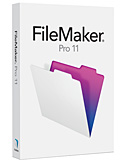
    FileMaker Pro 11 Free Trial Download

    Database management for Windows, Mac, and the web

    FileMaker Pro 11 is a powerful, easy-to-use database software that helps you and your team get any task done faster. Millions of people in business, government, and education use FileMaker Pro to effortlessly manage all their information on Windows, Mac, and the web.

    Did you know FileMaker Pro 11 offers 30-day trials in multiple languages? including: French, German, Italian, Japanese, Czech, Spanish, Dutch, Swedish, Turkish, and Polish.  Download your free trial today:
    Download FileMaker Pro 11 free trial

    Selasa, 24 Juni 2008

    Turn iPod Touch into Remote Control

    Alloysoft, an iPhone/iPod Touch application developer company, has recently announced a new software called Signal 1.1.2 which enable you to use your iPhone or iPod Touch as an advanced wireless remote for iTunes and other applications. Signal offers an interface specifically designed for the iPhone and iPod touch, and takes full advantage of the device's capabilities to provide a two-way, live updating view of your media player.


    With Signal 1.1.2, user can control iTunes on a Mac; iTunes, Windows Media Player and Winamp on a PC. Besides controlling the content playback, the software also allows us to search for media libraries, browse for content, create and edit playlists, and even remotely change music album art on a remote machine. All of these can be done from anywhere in the house - all from the palm of your hand.

    This is how it works: Users simply launch Signal on their computer (it operates as a standalone Web server) and offers an URL (which can be bookmarked) with which you can use your iPhone/iPod touch to connect to your iTunes. Once you type in the address from MobileSafri, you have full control over iTunes.

    Alloysoft is currently offering the Signal software for $25, directly from their website.

    Rabu, 30 April 2008

    Solution for Disk Space issue on iPod Touch.

    After some time you'll realize that there is no more space on your iPod Touch.
    This happens because all applications are installed in root partition.

    iPod Touch Operating System as well as any other UNIX operating system use disk drive partitioning of

    following idea:

    / small partition to store system data (core)
    /usr/home or /home to store user related data.

    In our case

    /var/media - partition to store Music and Video
    all other sections on File system belongs to / "root" Partition.

    So All applications you're installing located at /var/Application/


    Easy fix is to move Application data to "media" partition and create symlink.


    BossTools is our one button solution to perform these theory.

    Step to get this application:

    1 Switch on Wifi and connect to internet
    2 Launch Installer App.
    3 installation
    4 Install:
    Term vt100 (System)
    BossTool (Utilities)
    BossPrefs (Utilities)

    5 Launch BossPrefs.

    "BossTools"


    than press 3 buttons

     
    Design by Free WordPress Themes | Bloggerized by Lasantha - Premium Blogger Themes | Lady Gaga, Salman Khan