Tampilkan postingan dengan label Greenpois0n. Tampilkan semua postingan

Sabtu, 05 Februari 2011

How to Jailbreak Your iPod Touch 3G, 4G Using Greenpois0n (Windows)


These are instructions on how to jailbreak your iPod Touch 3G and iPod Touch 4G using Greenpois0n for Windows. Greenpois0n supports iOS 4.1 and iOS 4.2.1 firmware. Use Limera1n if you want to jailbreak iOS 4.0, iOS 4.0.2.

Step One
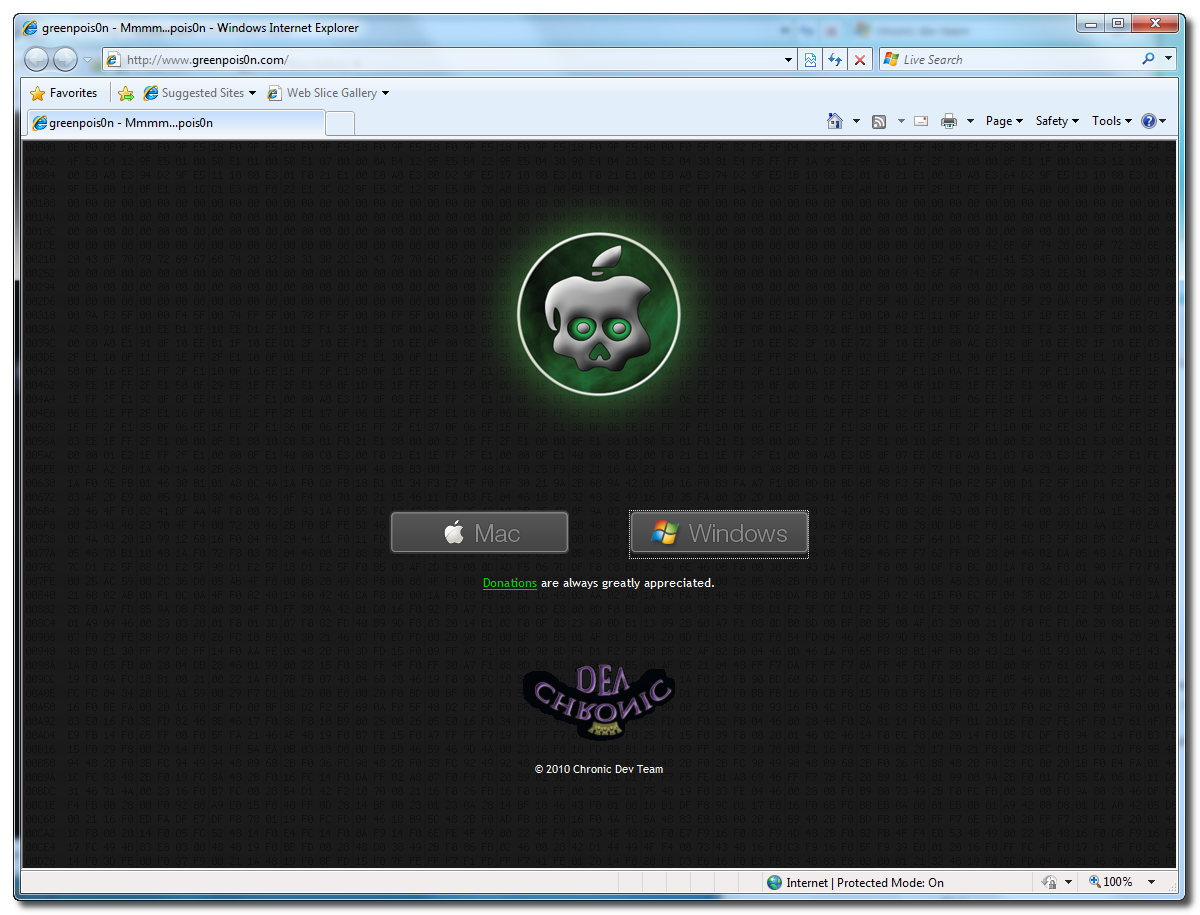
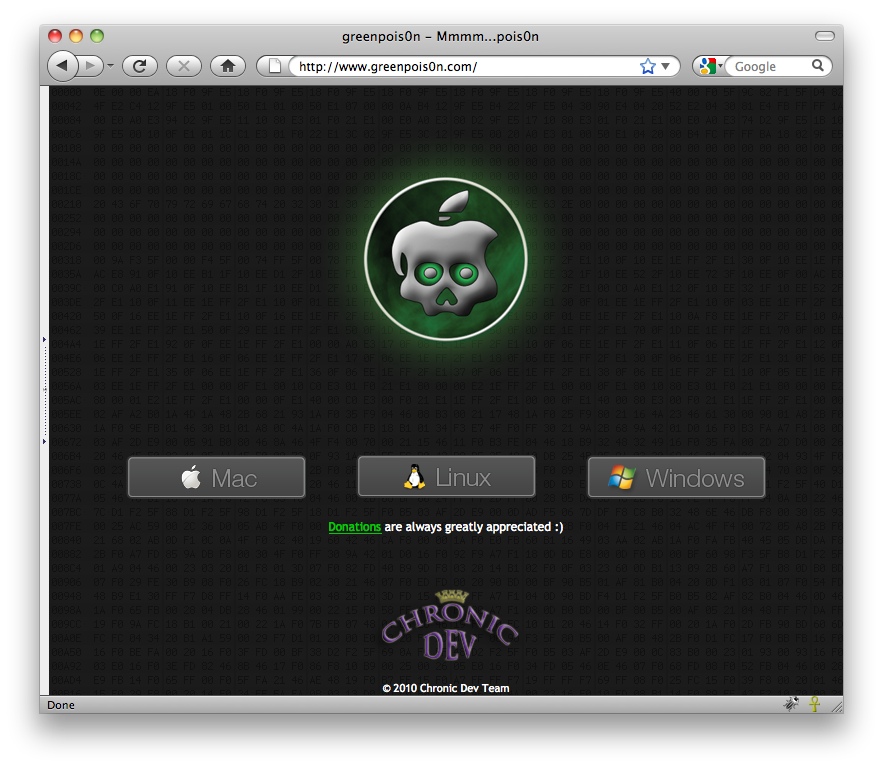
Open your web browser of choice and navigate to http://www.greenpois0n.com. Click the Windows link at the bottom of the screen.


Step Two
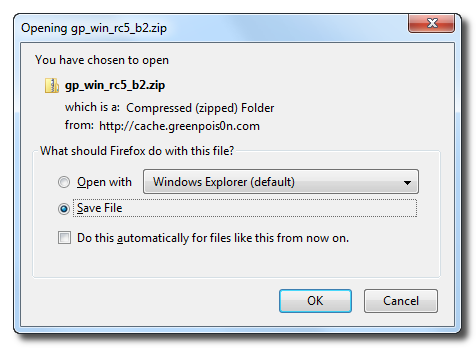
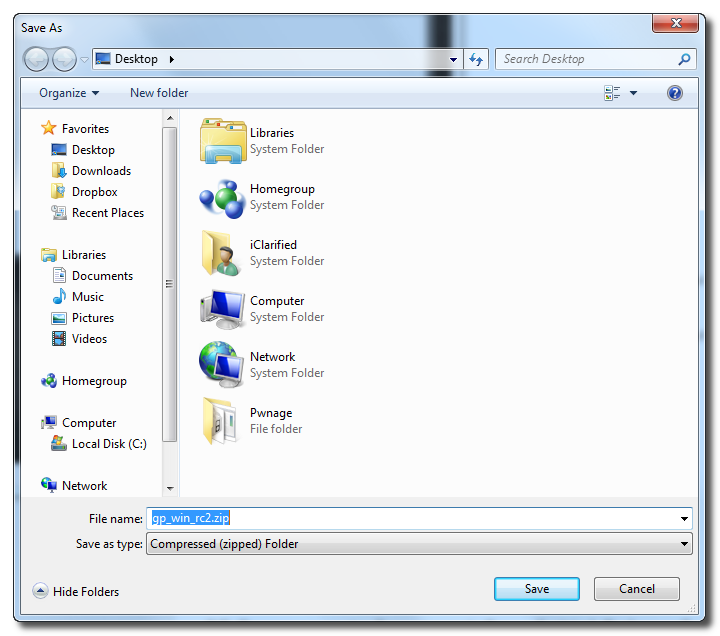
When prompted save the download to your desktop


Step Three
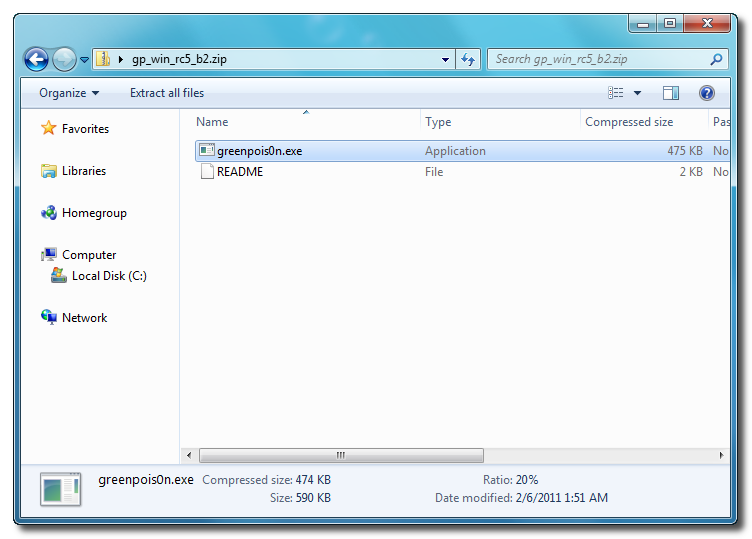
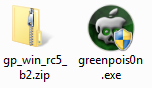
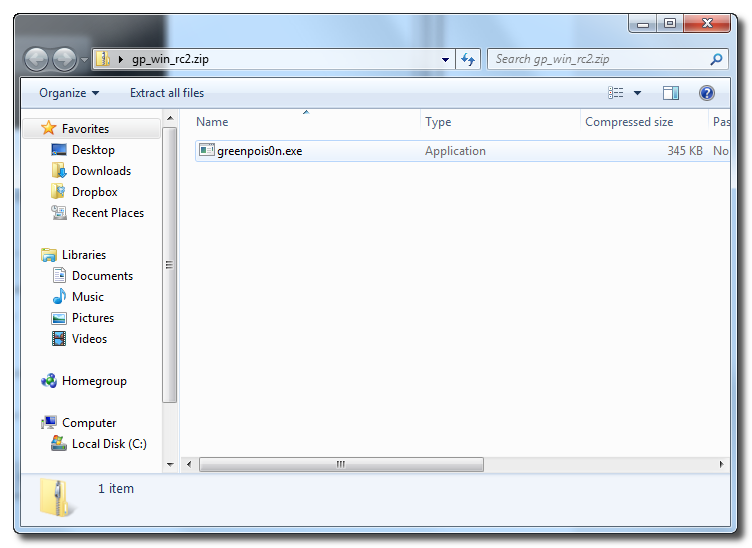
Double click the downloaded gp_win_rc5_b2.zip file then drag the greenpois0n.exe file to the desktop. Double click greenpois0n.exe from the desktop to launch the application


Step Four
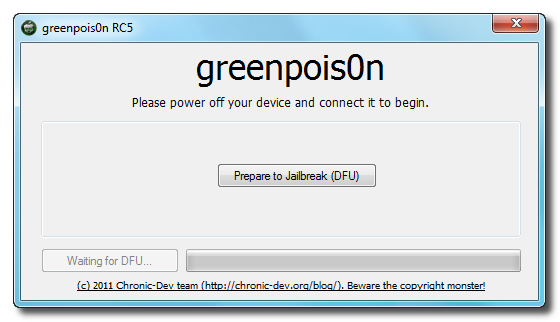
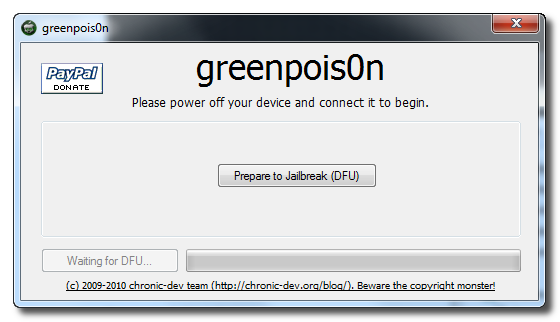
Power off your iPod then click the large Prepare to Jailbreak (DFU) button


Step Five
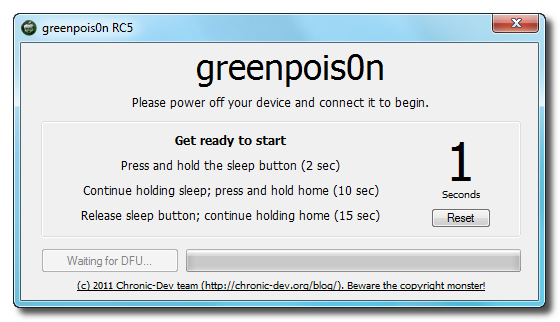
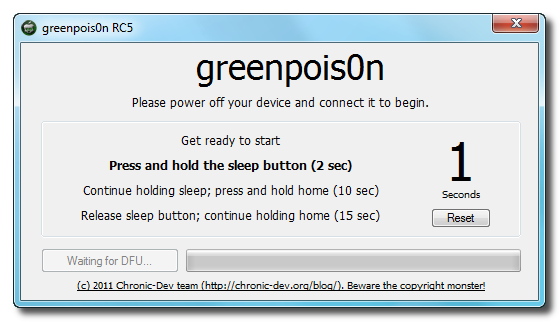
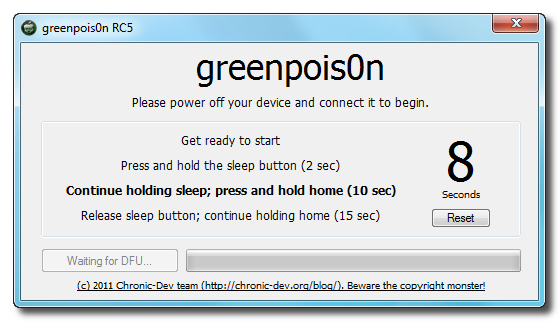
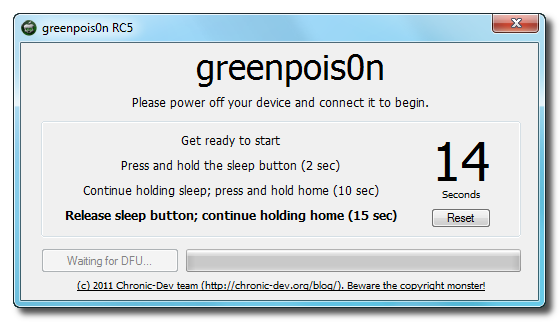
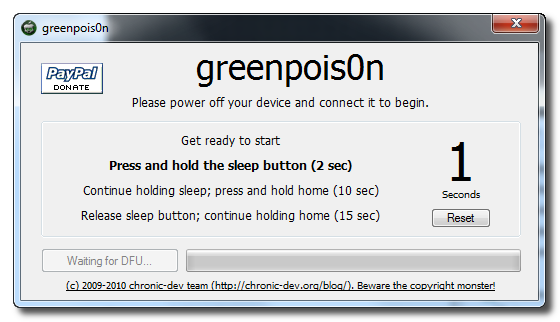
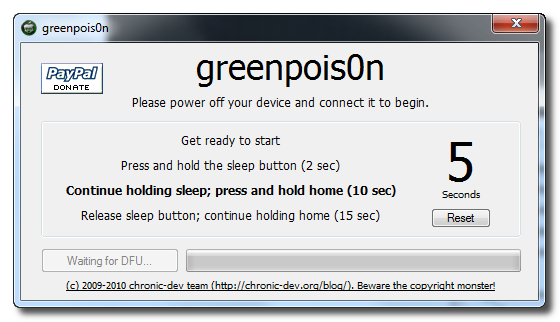
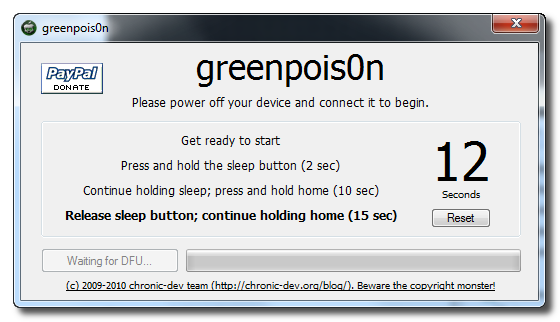
You will now be instructed on how to place your iPod into DFU mode.


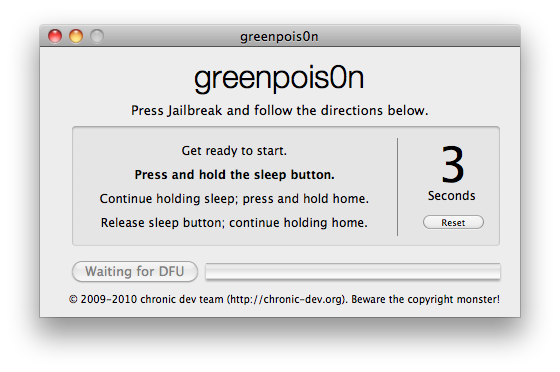
You will be asked to press and hold the sleep button for 2 seconds.


Continue holding sleep; press and hold home for 10 seconds.


Release sleep button; continue holding home for 15 seconds.


Step Six
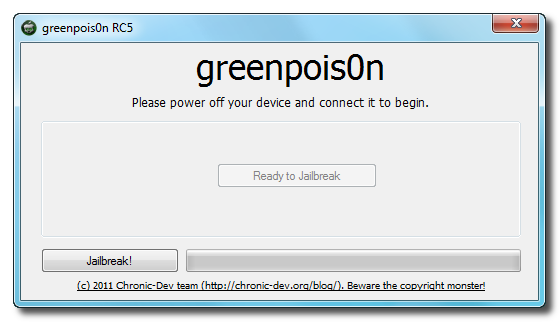
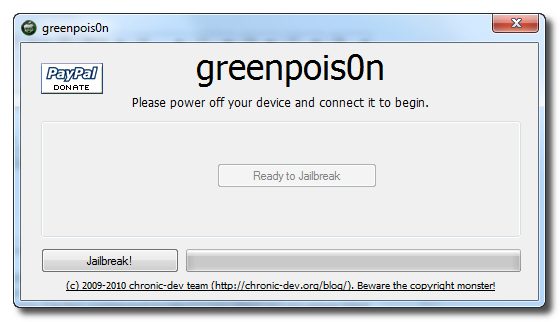
Once your iPod is successfully in DFU mode you may click the Jailbreak button.


Step Seven
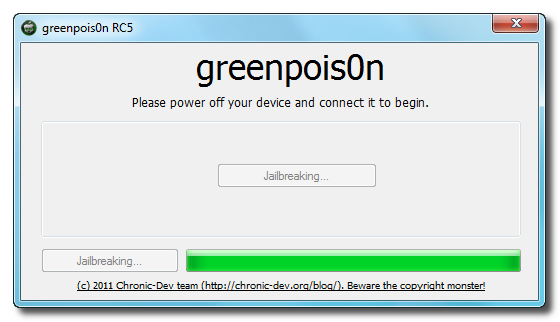
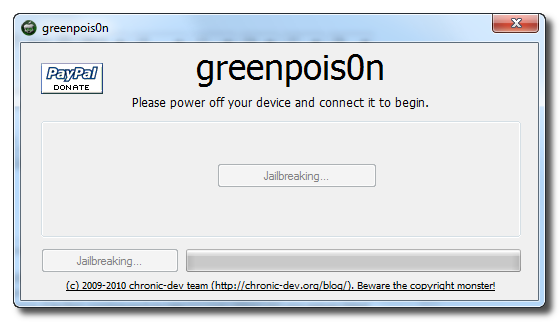
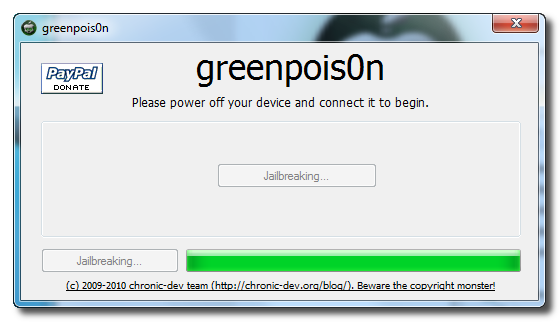
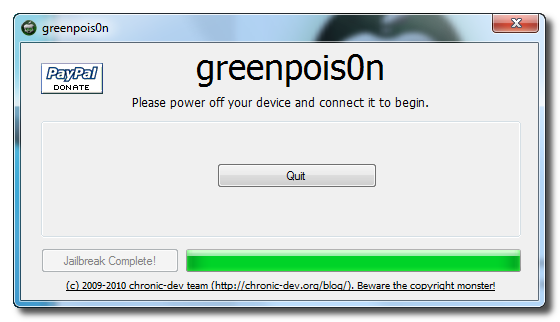
Greenpois0n will now jailbreak your device


Step Eight
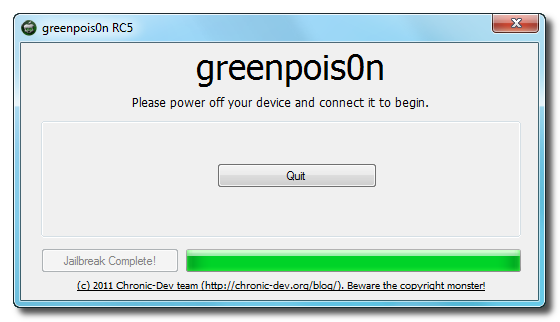
Click the Quit button once the software application has completed.


You'll notice some verbose mode text scrolling on your device.

Step Nine
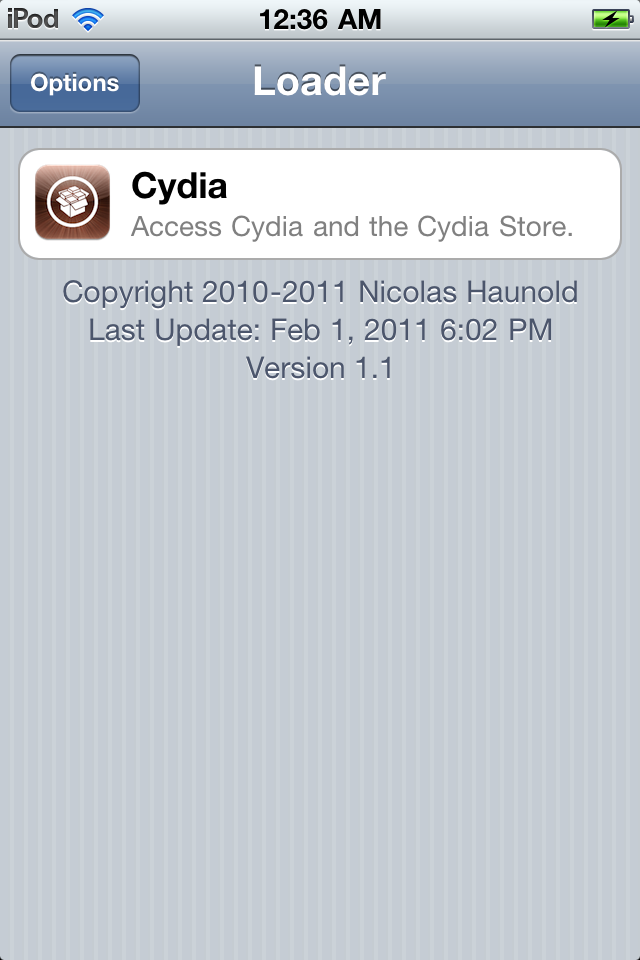
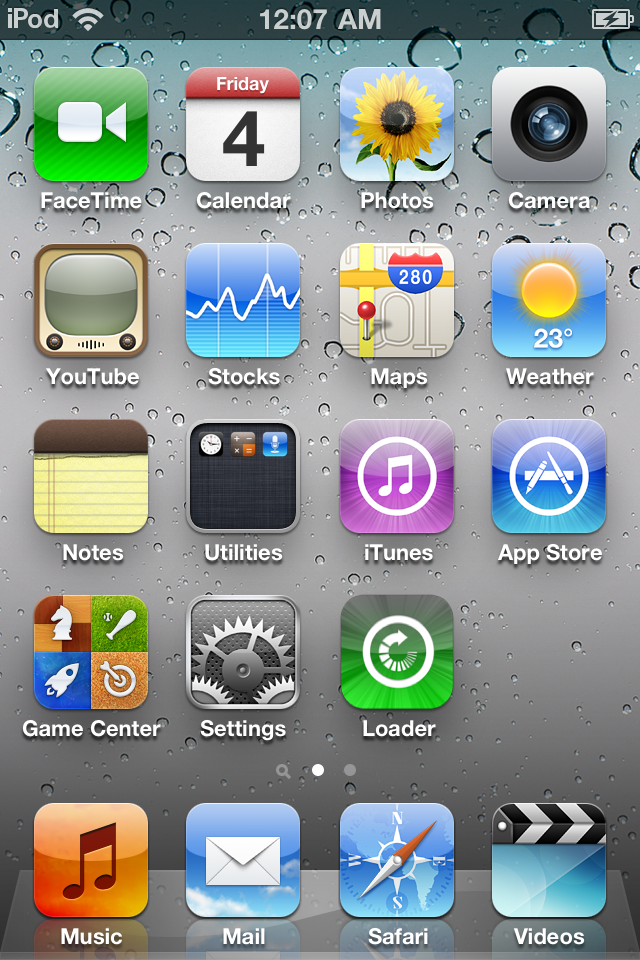
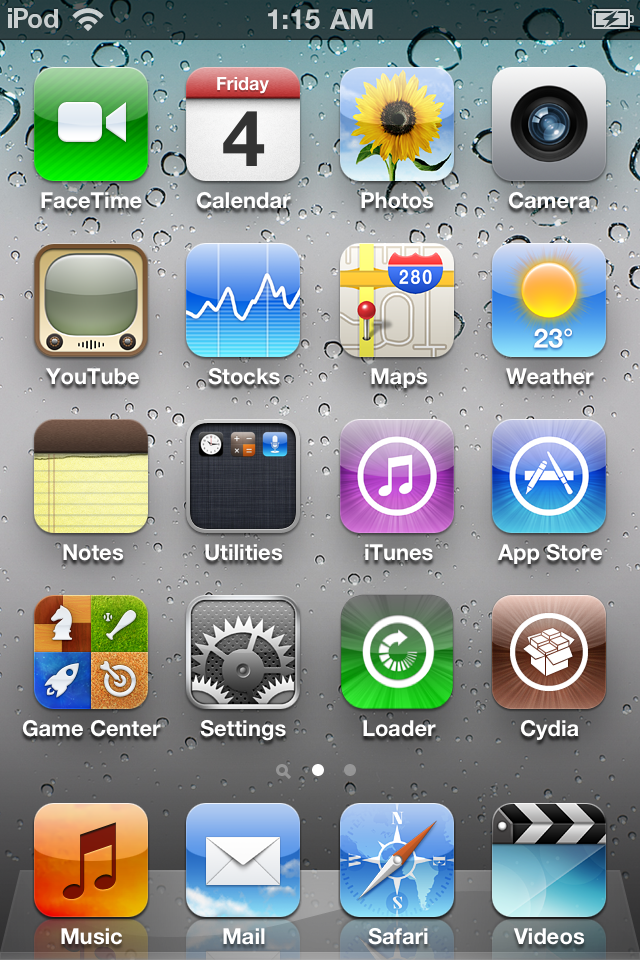
After the iPod restarts you'll notice a new Loader application on your Springboard. Press to launch it.


Step Ten
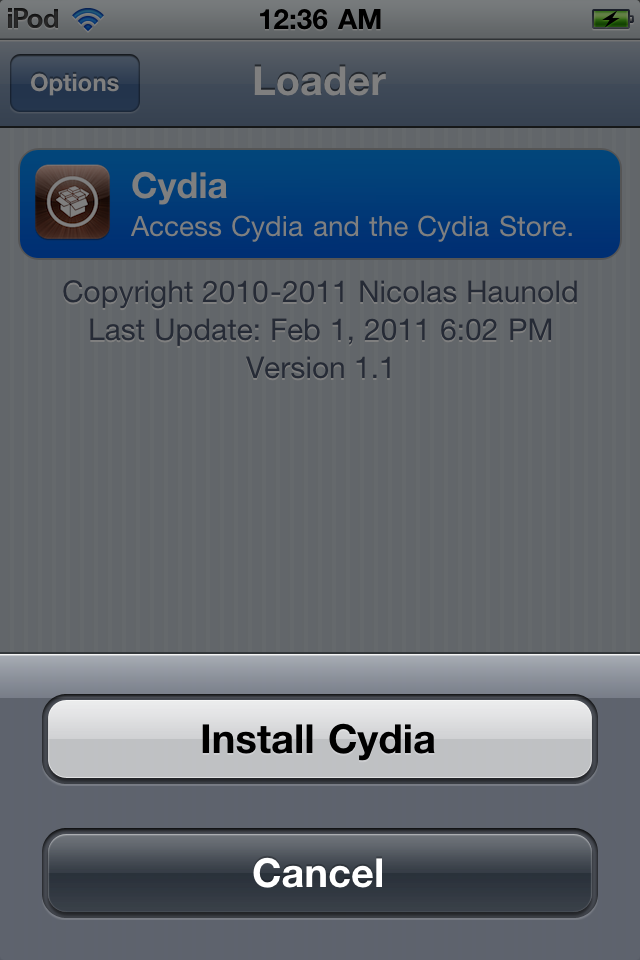
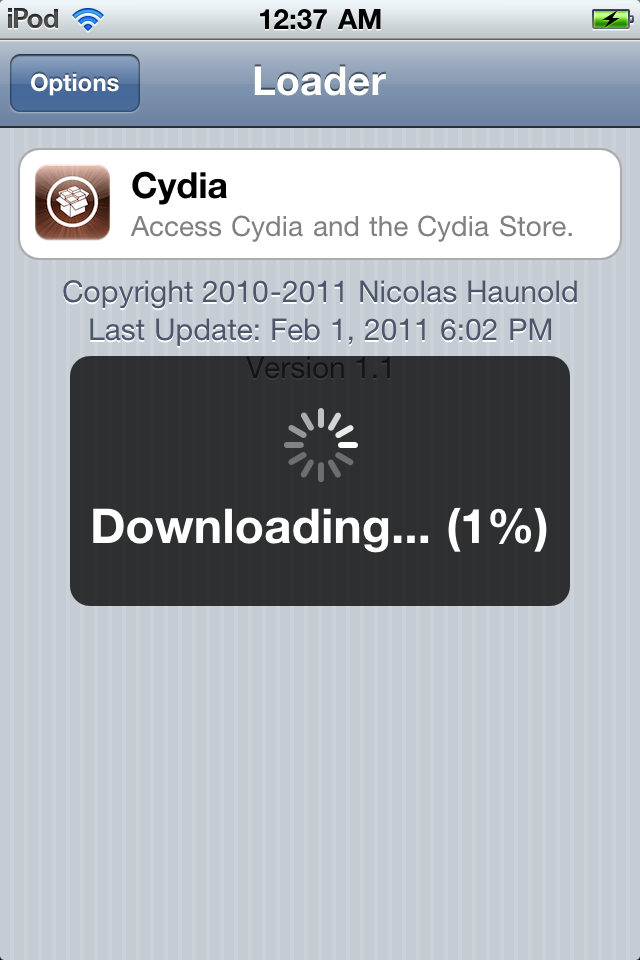
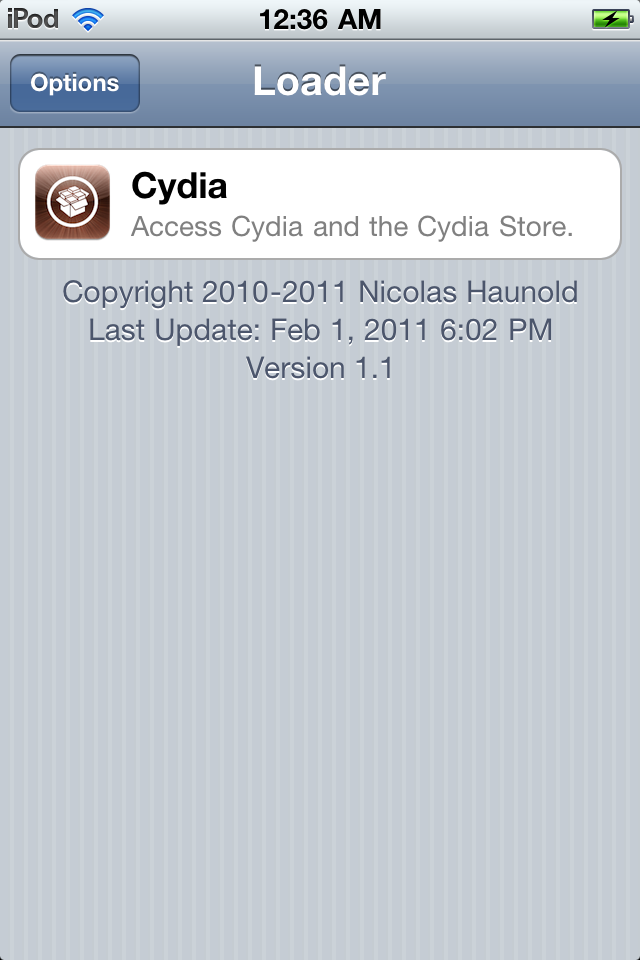
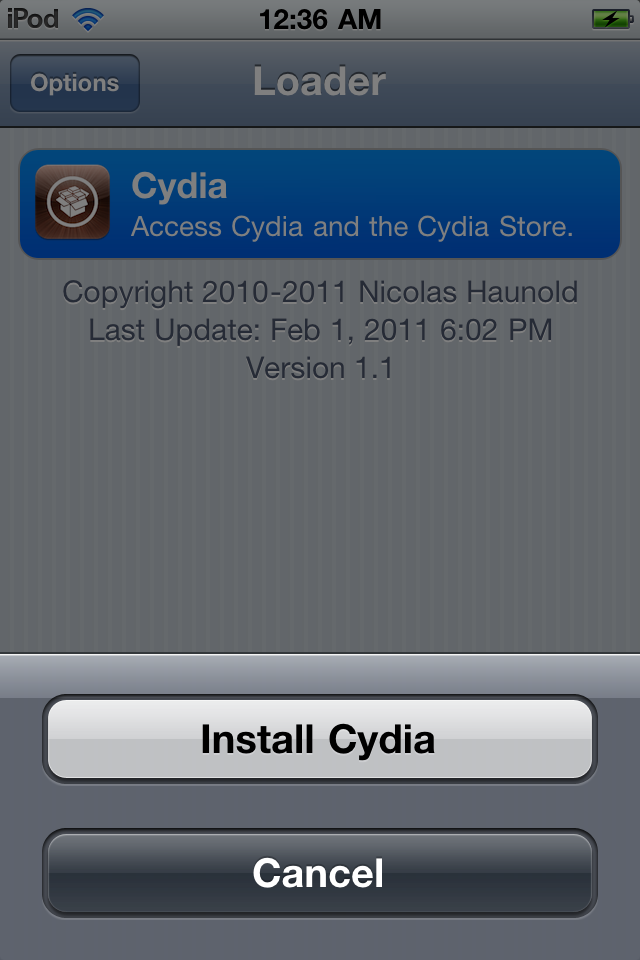
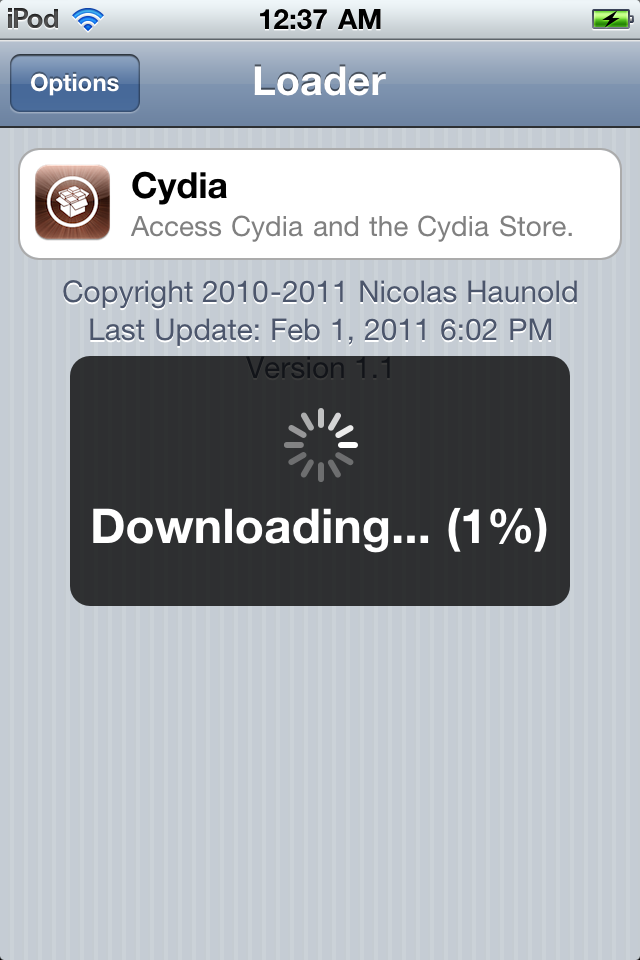
Press to select Cydia then press the large Install Cydia button that appears.


Step Eleven
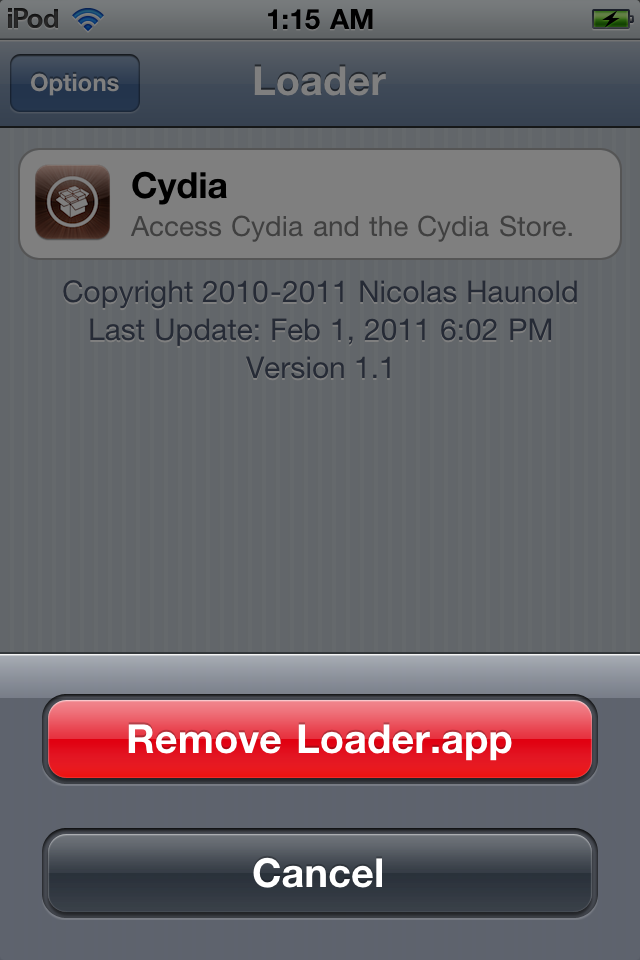
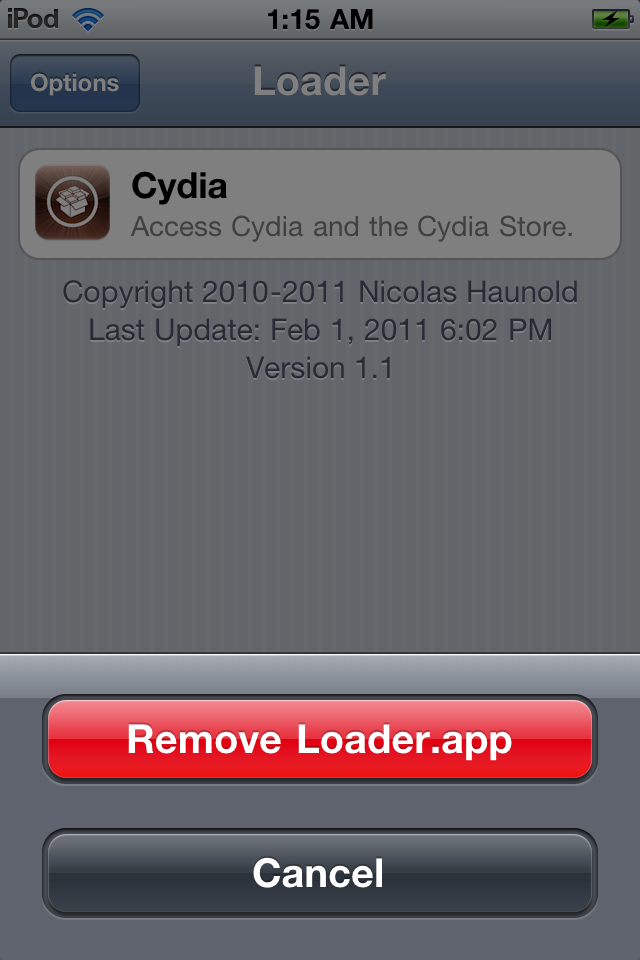
Once Cydia has installed successfully you can remove Loader from your device. Press the Options button then press the Remove Loader.app button.


Step Twelve
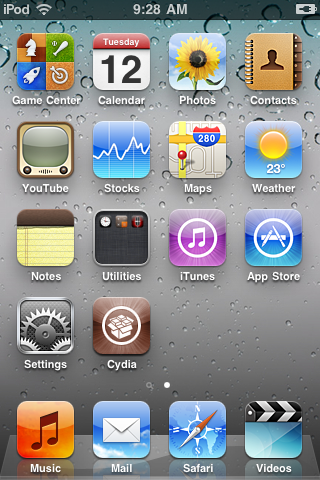
Reboot your iPod then run Cydia. Let it do all the necessary updates.


***A big thanks goes everyone who made this jailbreak possible.

How to Jailbreak Your iPod Touch 3G, iPod Touch 4G Using Greenpois0n (Mac)


These are instructions on how to jailbreak your iPod Touch 3G and iPod Touch 4G using Greenpois0n for Mac. Greenpois0n supports iOS 4.1 and iOS 4.2.1 firmware. Use Limera1n if you want to jailbreak iOS 4.0, iOS 4.0.2.

Step One
Open your web browser of choice and navigate to http://www.greenpois0n.com. Click the Mac link at the bottom of the screen.


Step Two
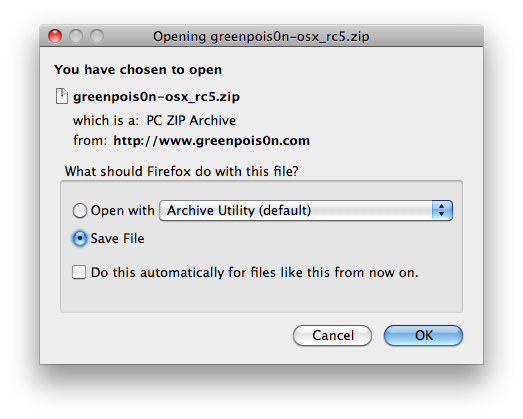
When prompted save the download to your desktop


Step Three
Double click the downloaded greenpois0n-osx_rc5.zip file to extract the archive. Quit iTunes then double click greenpois0n from the desktop to launch the application

Step Four
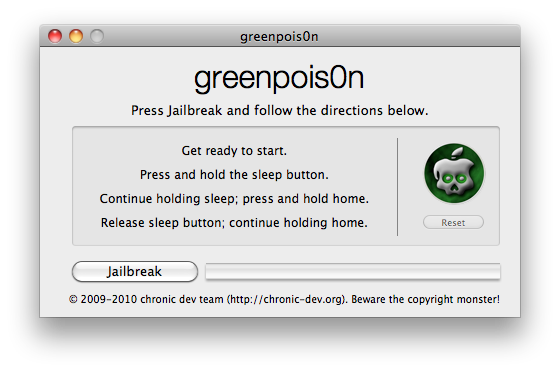
Connect your iPod to the computer, power it off, then click the large Jailbreak button


Step Five
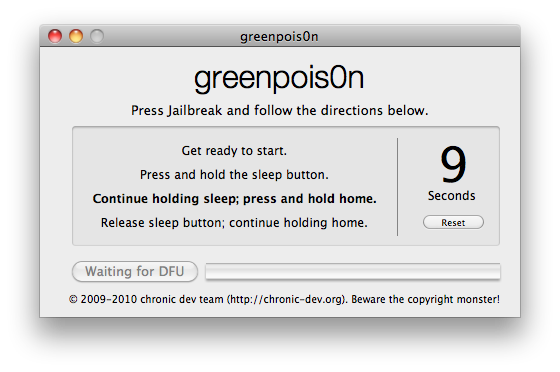
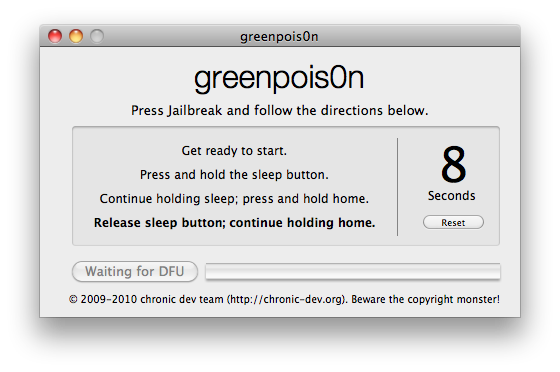
You will now be instructed on how to place your iPod into DFU mode.

You will be asked to press and hold the sleep button for 3 seconds.


Continue holding sleep; press and hold home for 10 seconds.


Release sleep button; continue holding home for 15 seconds.


Step Six
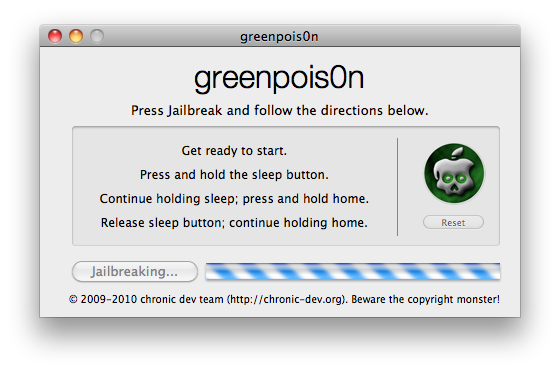
Once your iPod is successfully in DFU mode the jailbreak will begin.


Step Seven
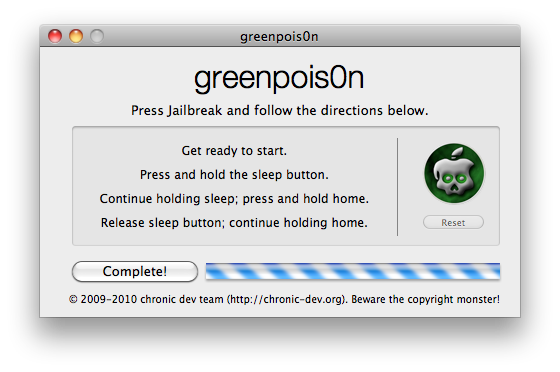
Click the Complete button once the software application has completed.


You'll notice some verbose mode text scrolling on your device.

Step Eight
After the iPod restarts you'll notice a new Loader application on your Springboard. Press to launch it.


Step Nine
Press to select Cydia then press the large Install Cydia button that appears.


Step Ten
Once Cydia has installed successfully you can remove Loader from your device. Press the Options button then press the Remove Loader.app button.


Step Eleven
Reboot your iPod then run Cydia. Let it do all the necessary updates.


***A big thanks goes everyone who made this jailbreak possible.

Minggu, 17 Oktober 2010

How to Jailbreak Your iPod Touch 3G, iPod Touch 4G Using Greenpois0n (Mac)


These are instructions on how to jailbreak your iPod Touch 3G and iPod Touch 4G using Greenpois0n for Mac. Greenpois0n only supports iOS 4.1 firmware. Use Limera1n if you want to jailbreak iOS 4.0, iOS 4.0.2.

Step One
Open your web browser of choice and navigate to
http://www.greenpois0n.com. Click the Mac link at the bottom of the screen.


Step Two
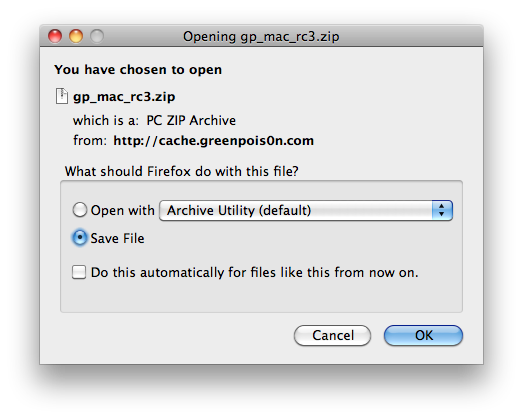
When prompted save the download to your desktop


Step Three
Double click the downloaded
gp_mac_rc3.zip file to extract the archive then double click greenpois0n from the desktop to launch the application

Step Four
Connect your iPod to the computer, power it off, then click the large
Jailbreak button


Step Five
You will now be instructed on how to place your iPod into DFU mode.


You will be asked to press and hold the sleep button for 3 seconds.


Continue holding sleep; press and hold home for 10 seconds.


Release sleep button; continue holding home for 15 seconds.


Step Six
Once your iPod is successfully in DFU mode the jailbreak will begin.


Step Seven
Click the
Complete button once the software application has completed.


You'll notice some verbose mode text scrolling on your device.

Step Eight
After the iPod restarts you'll notice a new
Loader application on your Springboard. Press to launch it.


Step Nine
Press to select Cydia then press the large
Install Cydia button that appears.


Step Ten
Once Cydia has installed successfully you will be asked if you want to remove Loader from your device. Press the
Remove button then press the Home button. Your device will now automatically reboot.


Step Eleven
When your iPod has restarted you can run Cydia. Let it do all the necessary updates.


***A big thanks goes to the Chronic Dev Team who made this jailbreak possible.

Selasa, 12 Oktober 2010

How to Jailbreak Your iPod Touch 3G, 4G Using Greenpois0n (Windows)


These are instructions on how to jailbreak your iPod Touch 3G and iPod Touch 4G using Greenpois0n for Windows. Greenpois0n only supports iOS 4.1. Use Limera1n if you want to jailbreak iOS 4.0, iOS 4.0.2.

Step One
Open your web browser of choice and navigate to
http://www.greenpois0n.com. Click the Windows link at the bottom of the screen.


Step Two
When prompted save the download to your desktop


Step Three
Double click the downloaded
gp_win_rc2.zip file then drag the greenpois0n.exe file to the desktop. Double click greenpois0n.exe from the desktop to launch the application


Step Four
Power off your iPod then click the large
Prepare to Jailbreak (DFU) button


Step Five
You will now be instructed on how to place your iPod into DFU mode.


You will be asked to press and hold the sleep button for 2 seconds.


Continue holding sleep; press and hold home for 10 seconds.


Release sleep button; continue holding home for 15 seconds.


Step Six
Once your iPod is successfully in DFU mode you may click the
Jailbreak button.


Step Seven
Greenpois0n will now jailbreak your device


Step Eight
Click the
Quit button once the software application has completed.


You'll notice some verbose mode text scrolling on your device.

Step Nine
After the iPhone restarts you'll notice a new
Loader application on your Springboard. Press to launch it.


Step Ten
Press to select Cydia then press the large
Install Cydia button that appears.


Step Eleven
Once Cydia has installed successfully you will be asked if you want to remove Loader from your device. Press the
Remove button then press the Home button. Your device will now automatically reboot.


Step Twelve
When your iPod has restarted you can run Cydia. Let it do all the necessary updates.


***A big thanks goes to the Chronic Dev Team who made this jailbreak possible.
 
Design by Free WordPress Themes | Bloggerized by Lasantha - Premium Blogger Themes | Lady Gaga, Salman Khan